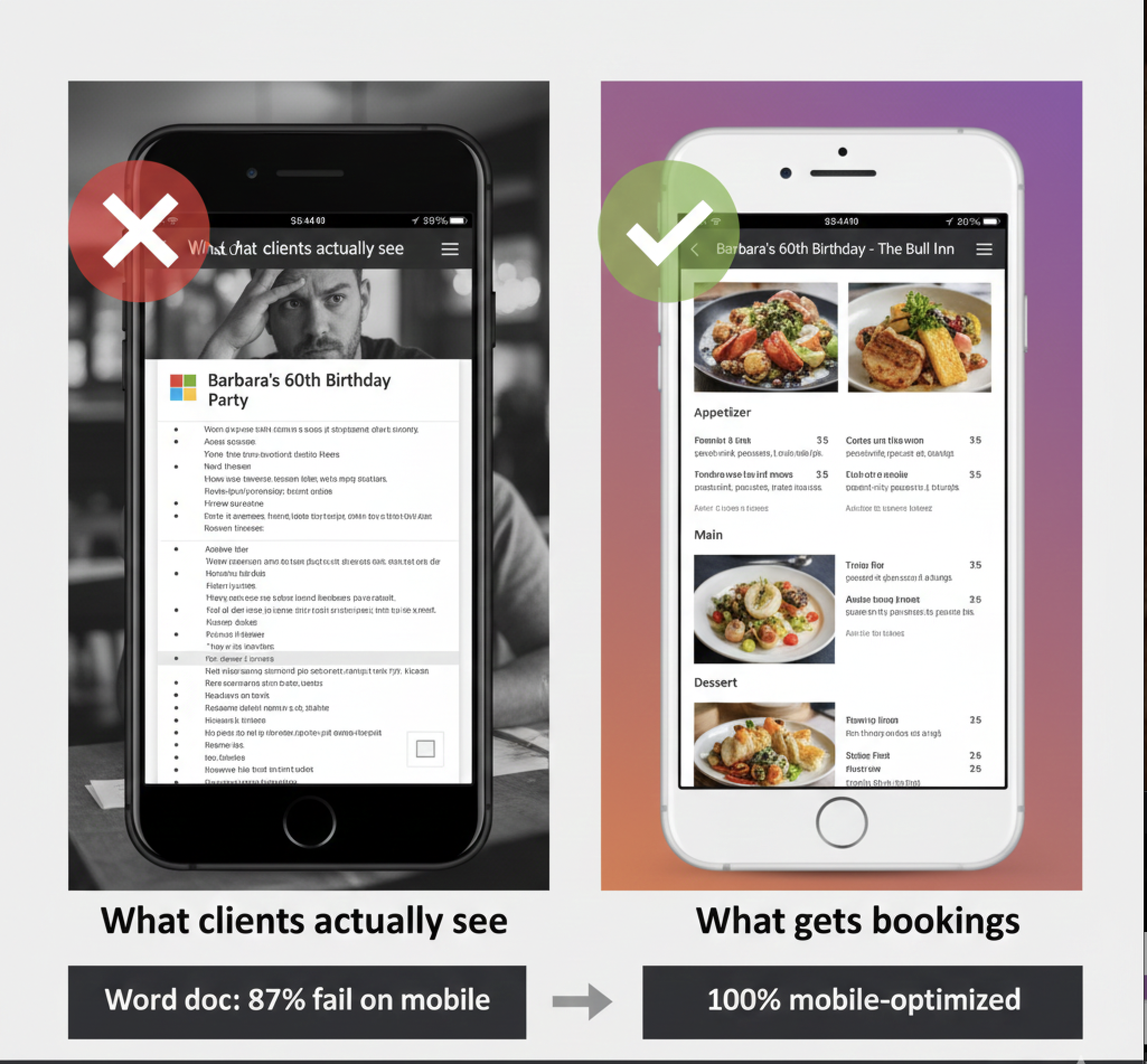
You're emailing Word docs to event clients. They open on their phone. Formatting's broken. Looks amateur. They book your competitor. Here's what works.
Let me show you something uncomfortable.
Pull out your phone. Open the last Word document someone emailed you. Any Word doc. How does it look?
Formatting's probably off. Font sizes inconsistent. Maybe some images didn't load. You're zooming in and out trying to read it. If there's a table, good luck - it's probably cut off at the edges.
Now imagine you're planning your mum's 80th birthday. You've asked three venues for menu quotes.
Venue A emails you a Word document.
Venue B emails you a PDF.
Venue C sends you a link to "Margaret's 80th Birthday - The Bull Inn."
Which one can you easily share with your siblings to get their input? Which one looks most professional? Which one makes you feel like the venue actually understands this is a special occasion?
This is why you're losing bookings.
Here's what happens when you email a Word document to an event client:
Your perspective: "I spent 45 minutes creating a nice custom menu in Word. Listed all the options, included prices, looks good on my computer screen." Client's perspective:Opens email on phone (87% of people check email on mobile first). Taps Word document attachment. Phone asks if they want to download it. They download. Opens in whatever app handles Word files on their phone.
Document looks... weird. Your carefully formatted three-column layout is now single column but randomly broken. Fonts are different sizes. The heading you centered is now left-aligned. The decorative border disappeared. That photo of your signature dish? Massive resolution, took 30 seconds to load, now it's pixelated.
They try to forward it to their sister to get her opinion. Sister has an Android phone, different Word viewer. Looks even worse for her.
By this point they're frustrated. This was supposed to be easy. The venue down the road sent them a link that opened instantly and looked professional on every device.
Booking lost.
Private events aren't solo decisions. Birthday person is checking with family. Corporate booker is checking with their boss. Wedding couple is checking with parents.
Your Word document makes sharing painful:
Scenario 1: Email forwardingThey forward your Word doc email to three family members. Now there are four copies of the document floating around. Someone suggests changes. Which version are we looking at? Did everyone see the updated one? Confusion ensues.
Scenario 2: Screenshot sharingThey screenshot your Word doc and send via WhatsApp. Resolution is terrible. Prices are barely readable. Sister replies "I can't read this, what are the options?"
Scenario 3: Giving upThey just verbally explain your menu options to family. "They said chicken or fish or vegetarian, I think it was around $30 something per person?" Details get lost. Family isn't excited because they haven't SEEN anything.
Compare this to: "Here's the link to mum's birthday menu: easymenus.xyz/margarets-80th"
Everyone taps the link. Everyone sees the same beautiful menu. Everyone can comment. One source of truth. Easy.
You're competing against caterers and hotels who have their presentation dialed in.
When someone gets quotes from three places:
Option A (You): Word documentYour food is probably better than the caterer's. Your venue is nicer. Your prices are competitive.
But their PRESENTATION is miles ahead. And presentation is what gets the booking.
Here's another fun scenario:
You send the Word document quote on Monday. Client replies Wednesday: "This looks good but my sister is vegetarian and we have someone with gluten intolerance. Can you add options for them?"
Now what?
You open the Word doc. Make changes. Save as new version: "Event_Menu_v2.docx". Email it again.
They save it. Now they have two files on their phone: the original and the updated version. Which one is current? Does everyone have the latest version?
Friday they call: "Actually, can we swap the salmon for beef?"
Same process. "Event_Menu_v3.docx"
Three versions floating around. The person who was sent v1 and never saw v2 or v3 is still looking at the old menu. Confusion at the event because someone expected salmon that doesn't exist.
Digital menus solve this instantly:
You update the menu once. Everyone who has the link automatically sees the updated version. No v1, v2, v3 confusion. One source of truth. Always current.
I'm not saying Word documents are evil. They're fine for internal notes or printing physical menus for the day of the event.
But for the BOOKING process - when potential clients are deciding whether to use your venue - Word documents are killing you.
What works:
Same concept as QR code menus for daily service, applied to private events.
How it works:Mrs. Thompson inquires about her daughter's 40th birthday. You create a digital menu in 10 minutes:
You get a unique link: easymenus.xyz/sarah-40th-crown-inn
Email that link to Mrs. Thompson. She taps it on her phone. Opens instantly. Looks professional. Shares link with family via WhatsApp. Everyone sees the same menu.
Cost:After one lost booking ($600-800 profit), the Word document approach is actually more expensive.
Some venues try to solve this by copy-pasting menu info into the email body instead of attaching Word docs.
Better than attachments, but still problematic:
Email body menus:Still looks amateur compared to "Here's your event menu: [link]"
##
PDF is better than Word for viewing, but you still have the same fundamental problems: file to download, not mobile-optimized, version control nightmare when changes needed, hard to share. It's an incremental improvement, not a solution.
Almost nobody asks for this. What they're really asking for is "send me the menu details so I can review them." A link does that better than a Word doc. If someone genuinely insists on Word format (maybe they need to paste into their own document), you can export from digital menu to PDF/Word after booking is confirmed.
Your template probably looks great on YOUR computer. But 87% of people are viewing it on mobile phones where your formatting breaks. All that formatting work is wasted if it doesn't render properly on the devices people actually use.
Yes, many clients want physical menus on the day of the event. That's different from the BOOKING stage. Use digital menus to capture the booking, then print physical menus for the actual event day if requested. Best of both worlds.
Creating a digital event menu takes 10 minutes. Less time than you currently spend formatting Word documents. And you only need to learn it once - after that it's faster than your current process. The question isn't "do I want to learn something new?" It's "do I want to keep losing bookings?"
##
Your Word document event menus are costing you bookings. Not because your menu options are bad. Because the PRESENTATION is amateur compared to what clients expect in 2025.
People are making booking decisions on their phones. They're comparing your Word doc (broken formatting, hard to share, looks thrown together) against competitors' professional digital menus (beautiful, easy to share, mobile-optimized).
You're losing not because of your food or pricing. You're losing because of a Word document.
Fix the presentation and you'll start winning those bookings.
Create your first professional event menu in 3 minutes. Test it on your phone. Share it with someone. Compare it to the last Word document you sent to a client. The difference will be painfully obvious.Ready to create your digital menu?
Join thousands of restaurants already using EasyMenus. Free forever — no credit card needed.
Get started free →